01
Monitor selected drivers and vehicles by branch.
Step 06
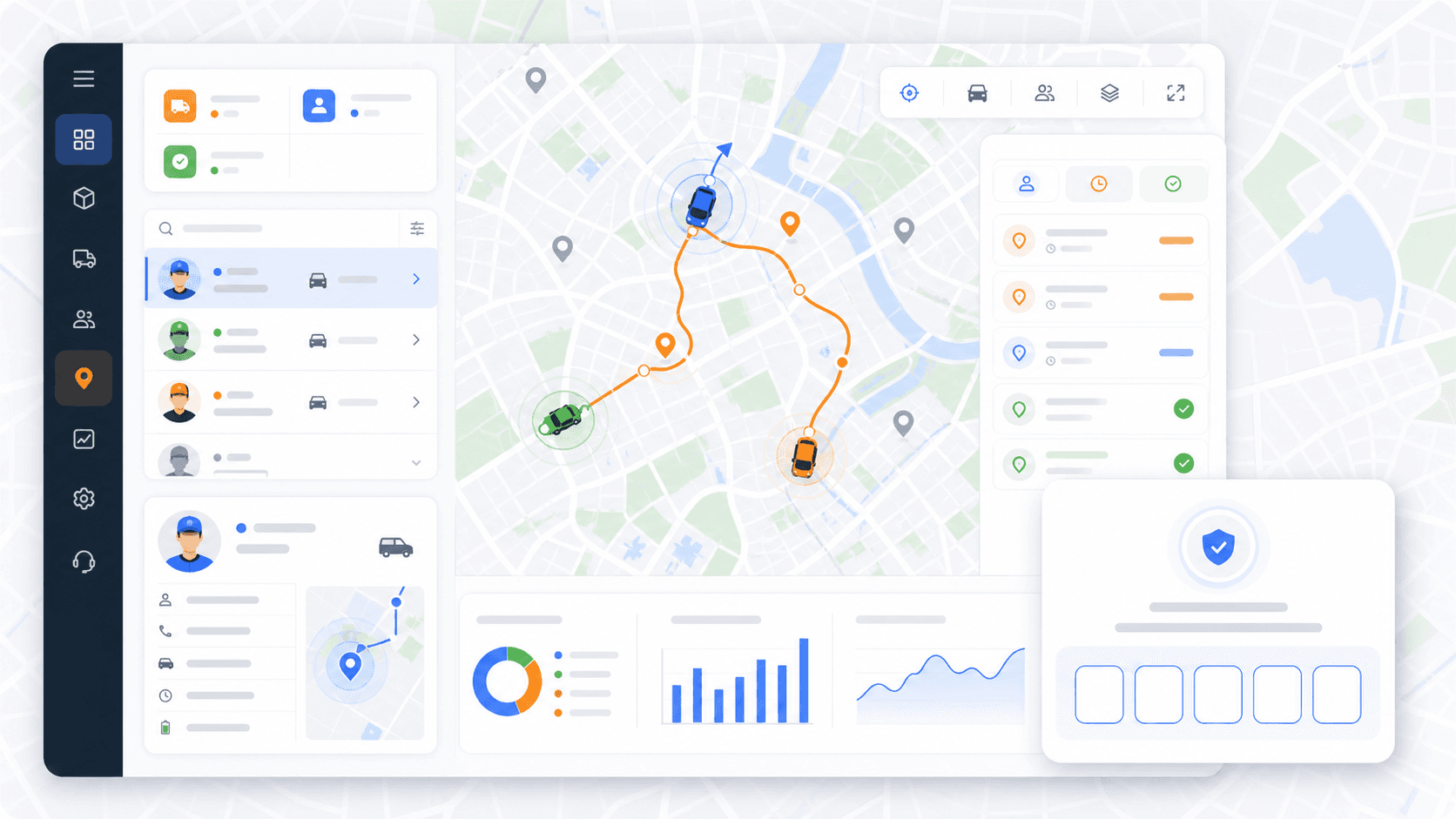
Dispatchers monitor selected drivers and vehicles while routes are active. When mobile location streaming is enabled, monitoring can show live location, speed, last update, vehicle context, today's missions, and status-aware mission markers.
Primary keyword: live delivery monitoring workflow
7
workflow steps
3
import formats
200
starter credits
Step outcome
By the end of active monitoring, dispatchers have current visibility into route execution and driver progress.
01
Monitor selected drivers and vehicles by branch.
02
Show live location when mobile location streaming is enabled.
03
Display speed, last update, vehicle details, and driver context.
04
Keep today's missions visible on the monitoring map.
05
Use status-aware mission markers to understand active work.
Related product pages
FAQ
Yes, when mobile location streaming is enabled. Dispatchers can monitor selected drivers and vehicles, location updates, speed, last update, and today's missions.
Yes. Monitoring is designed around branch-specific driver and vehicle visibility.
Ready to replace manual routing?
Start with 200 scheduled order credits and test setup, import, optimization, dispatch, monitoring, proof, and reporting in Rouptimize.